Take Labelling to the Next Level
PT-P710BT P-touch CUBE Plus Smartphone and PC Label Maker
- N° modèle:
- PTP710BT PTP710BTBrother
This versatile P-touch PTP710BT seamlessly connects to your family s smartphones and tablets using Bluetooth Classic®. Voir la description complète du produit
 Produit en stock et prêt à être expédié

Tape type
TZE, Laminated

Max. tape width
24mm - 0.94"

Connectivity
Smartphone, Tablet, PC

Cutter type
Automatic

Power Supply
Rechargeable Li-ion battery - included
Description du produit
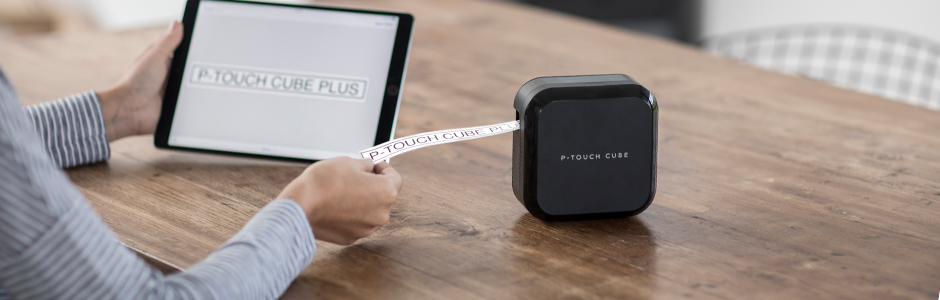
Versatile, simple and fun to use, the Brother P-touch CUBE Plus lets you easily design and print durable, laminated labels up to 24mm (~ 1 ) from your smartphone, tablet, laptop or computer. Put it to work with your Apple® or Android smartphone/tablet and the free P-touch Design&Print 2 and iPrint&Label apps or use its included USB cable to hook it up to your computer to tackle a wide variety of tasks and projects. Ideal for your small business, retail shop or craft-based business, it features a sleek, stylish design that s tough enough for home and office use. Compatible with three different Brother software applications that offer a wide selection of pre-designed creative templates with a variety of fonts, frames and special symbols, the P-touch CUBE Plus is perfect for adding customized touches like images, company logos and barcodes. It comes with one starter tape, so you can get labelling right away! Its sleek, stylish aesthetic blends in with any environment while its compact, lightweight design with built-in Li-ion battery makes it easily portable for on-the-go use.
Pour en savoir plus sur le 'PT-P710BT P-touch CUBE Plus Smartphone and PC Label Maker', téléchargez la brochure en cliquant ici.
Caractéristiques principales
- Design and print personalized labels your way using your smartphone, tablet or computer.
- FREE P-touch Design&Print 2 and iPrint&Label apps let you conveniently design and print personalized labels from your smartphone or tablet using the P-touch CUBE Plus.
- Use its included USB cable to design and print customized labels with P-touch Editor software on your computer.
- Sleek, stylish design suits small businesses, retail shops and craft-based businesses.
- For labels that get noticed, use Decorative patterned tapes great for special events, gifts, retail and crafting.
- Choose from a wide selection of predesigned label templates or easily design and save your own labels using symbols, frames and a variety of fonts including most Google and Apple® font libraries.
- Brother Design&Print 2 and iPrint&Label apps both use smartphone features like spell check and voice to text
- Uses Brother P-touch TZe durable, laminated tapes up to 24mm (~ 1 ) wide in a variety of colours and types
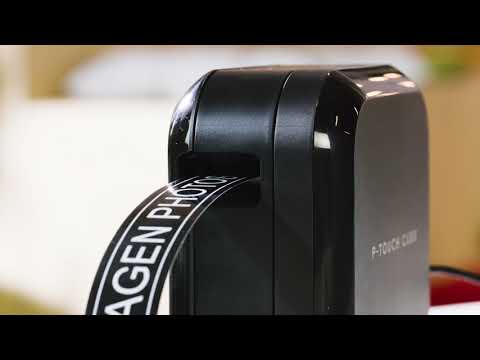
- Built-in, automatic tape cutter makes clean, easy cuts letting you create just the right size labels.
- Includes: P-touch CUBE Plus label maker, 1 Black on White Starter Tape 0.94 (24mm) x 13.1 (4m), Built-in Lion battery and USB cable.
Wireless Connectable Label Maker for PC and Mobile with Bluetooth Classic®
Print labels from your Windows PC or Mac
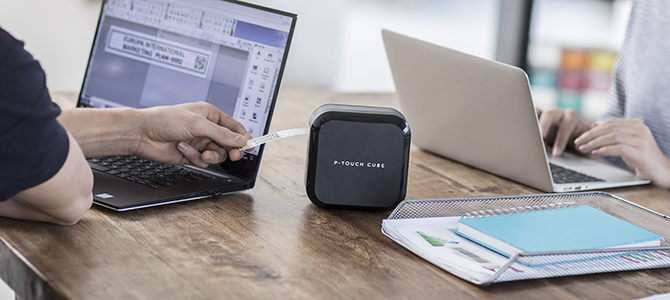
Brother P-touch Editor label design software gives you powerful editing tools to create labels just the way you want them. Include barcodes and images such as a company logo or select from hundreds of built-in clipart, symbols and frames. You can also link to text contained in an Excel or .csv file to easily print multiple labels with variable information.
Apps for Android™ and iOS devices
The free Brother iPrint&Label and P-touch Design&Print apps connect to your label printer using the Bluetooth Classic® connection in your smartphone or tablet. You can edit your labels and then preview before printing.
Download them now:


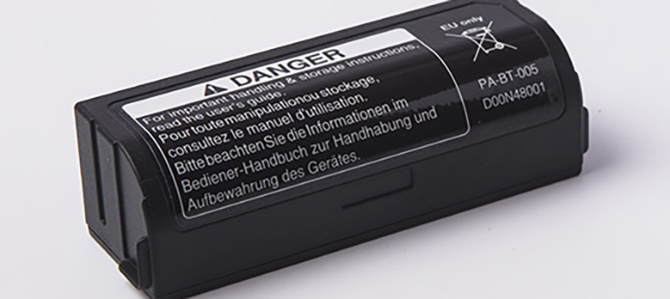
Integrated rechargeable battery
Inside the Brother PT-P710BT P-touch CUBE Plus Labeller is a small yet powerful lithium-ion battery that eliminates the need and cost to use standard alkaline batteries and ensures your label printer is ready for use at any time.
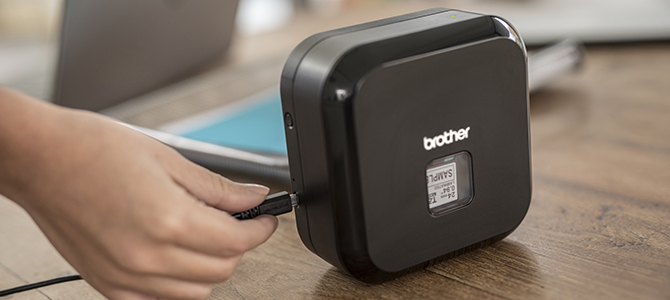
USB recharging
Your P-touch CUBE Plus label printer can be recharged while connected to your computer's USB port or when plugged into any standard USB mains power adapter to recharge on the go.
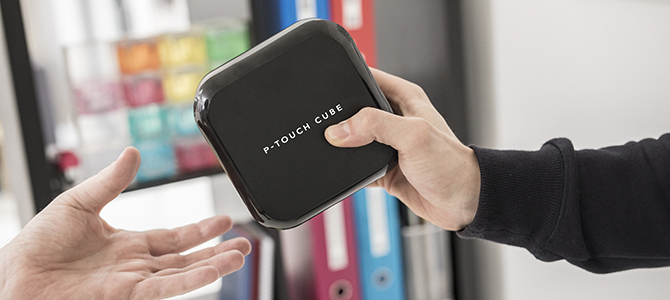
Simple, elegant design
Compact and portable, the P-touch CUBE Plus uses little desk space making it ideal for sharing around the office.
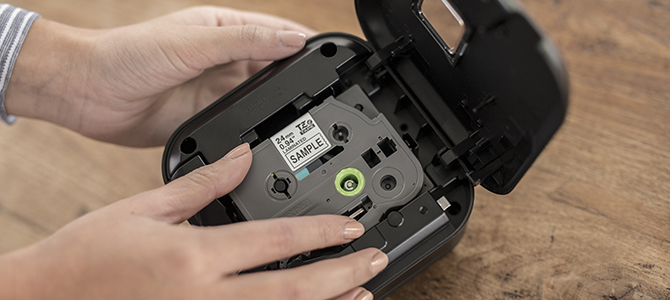
Brother TZe durable, laminated labels
Uses Brother P-touch TZe durable, laminated tapes up to 24 mm (~ 1 ) wide in a variety of colours and types. Brother TZe tapes are developed to withstand sunlight, water, chemicals and extreme temperatures. Using Brother Genuine tapes ensures your labels last for years to come.
Impression
| Résolution d'impression max. | 180 ppp |
| Impression de base de données | Oui |
| Impression verticale | Oui |
| Vitesse d'impression max. (ppp) | 20 mm/sec |
| Impression miroir | Oui |
| Impression rotative | Oui |
| Impression de codes à barres | Oui |
Contenu de la boîte
| Dimensions de la boîte (L x P x H) | 190 x 209 x 98 mm |
| Poids de la boîte | 1.kg |
| Contenu de la boîte | One 24mm x 4m Black on White laminated "TZe" starter tape, USB cable, Documentation |
Autre
| Type de ruban | Laminé,Ruban sans acide,Ruban adhésif extra résistant,Ruban d'identification flexible,Feuille thermocollante pour appliqués à tissu,Ruban de sécurité |
| Interface(s) standards | USB 2.0 haute vitesse |
| Symboles intégrés | TrueType |
| Format de ruban | 3,5 mm,6 mm,9 mm,12 mm,18 mm,24 mm |
| Garantie | Garantie limitée d'un an |
| Dimensions de l'unité (L x P x H) | 128 x 67 x 128 mm |
| Type de ruban | TZe |
| Poids de l'unité | 0.67 kg |
| Longueur de ruban | 8m |
| Type de modèle | Imprimante d'étiquettes connectable au PC |
| Technologie de ruban | Transfert thermique |
| Interface(s) | USB (1.1 ou 2.0) |
Caractéristiques matérielles
| Connectivité | Bluetooth Classique,USB |
| Rétroéclairage | Non |
| Coupe-ruban | Auto |
| Piles | Pile Li-ion rechargeable (comprise) |
| Systèmes d’exploitation compatibles | Android® 2.2 et plus récent,iOS® 3.0 et plus récent,Mac® OS X 10.6 et plus récent,Windows® 10,Windows® 7,Windows® 8,Windows® Vista |
| Écran ACL | Non |
Caractéristiques logicielles
| Impression mobile | Oui |
| Codage à barres | AztecCode,CODE39,UPC-A,UPC-E,ITF (1-2/5),EAN-8,EAN-13,GS1-128 (UCC/EAN-128),CODE128,CODABAR,POSTNET,GS1 DataBar (RSS),QR Code,PDF-417,Data Matrix,Laser Bar Code,ISBN-2 (EAN13 AddOn2),ISBN-5 (EAN13 AddOn5),Micro QR Code,MaxiCode,GS-1 Composite |
| Connectable au PC | Oui |
| Sceau date/heure | Généré par PC |
| Encadrement de texte/Motif de remplissage | 10 cadres / Aucun motif de remplissage |
Étiquettes, rubans et rubans satinés
- Article no:
- TZE133
- Article no:
- TZE222
- Article no:
- TZE223
- Article no:
- TZE243
- Article no:
- TZE253
- Article no:
- TZE263
- Article no:
- TZE344
- Article no:
- TZE354
- Article no:
- TZE451
- Article no:
- TZE435
Brother TZeFA3 Ruban thermocollant blanc avec texte bleu marine pour étiqueteuse P-touch 12 mm
- Article no:
- TZEFA3
- Article no:
- TZEFX241
- Article no:
- TZEFX251
- Article no:
- TZEMQG35
- Article no:
- TZEMQF31
Brother TZeN201 Ruban très étroit blanc avec texte noir non laminé pour étiqueteuses P-touch 3 mm
- Article no:
- TZEN201
- Article no:
- TZEMQP35
- Article no:
- TZES151
Brother TZeS641 Ruban jaune avec texte noir avec adhésif très résistant 18 mm x 8 m
- Article no:
- TZES641
- Article no:
- TZES651
Brother TZe-SE4 Ruban de sécurité blanc avec texte noir pour étiqueteuses P-touch, 18 mm
- Article no:
- TZESE4
- Article no:
- TZES941
- Article no:
- TZE111G
- Article no:
- TZE121G
- Article no:
- TZE315G
- Article no:
- TZE233G
- Article no:
- TZE2312PKG
- Article no:
- TZE2412PKG
- Article no:
- TZE252G
- Article no:
- TZE325G
- Article no:
- TZE334G
- Article no:
- TZE431G
- Article no:
- TZEAF231G
- Article no:
- TZEAF131G
- Article no:
- TZE531G
- Article no:
- TZE545G
- Article no:
- TZES211G
- Article no:
- TZES251G
- Article no:
- TZE131G
- Article no:
- TZE141G
- Article no:
- TZE151G
- Article no:
- TZE211G
- Article no:
- TZE221G
- Article no:
- TZE232G
- Article no:
- TZE241G
- Article no:
- TZE242G
- Article no:
- TZE251G
- Article no:
- TZE335G
- Article no:
- TZE345G
- Article no:
- TZE631G
- Article no:
- TZE641G
- Article no:
- TZE651G
- Article no:
- TZEFX231G
- Article no:
- TZES231G
- Article no:
- TZES241G
PT-P710BT P-touch CUBE Plus Smartphone and PC Label Maker
N° modèle: PTP710BT
Ce n’est pas votre produit?Téléchargements et documents
Téléchargements et pilotes
Obtenir les téléchargements et les pilotes pour ce produit du Centre de Solutions de Brother
Trouver les téléchargements et les pilotes Télécharger l’application iPrint&Scan
Manuels et documents
Obtenir les téléchargements et les pilotes pour ce produit du Centre de Solutions de Brother
Télécharger les manuels et les documentsBrochure du produit
Découvrez tout ce que vous voulez savoir au sujet du programme dans ce PDF.
Télécharger la brochure du produitAvez-vous des questions?
 Posez une question
 Clavardage en direct
PT-P710BT P-touch CUBE Plus Smartphone and PC Label Maker
N° modèle: PTP710BT
Ce n’est pas votre produit?
Téléchargements et documents
Téléchargements et pilotes
Obtenir les téléchargements et les pilotes pour ce produit du Centre de Solutions de Brother
Trouver les téléchargements et les pilotesTélécharger l’application iPrint&ScanManuels et documents
Obtenir les téléchargements et les pilotes pour ce produit du Centre de Solutions de Brother
Télécharger les manuels et les documentsBrochure du produit
Découvrez tout ce que vous voulez savoir au sujet du programme dans ce PDF.
Télécharger la brochure du produitAvez-vous des questions?
Posez une question
Clavardage en direct
Garantie
Garantie limitée d'un an
Politique de retour
Vous pouvez retourner tout appareil Brother acheté sur brother.ca dans les 30 jours suivant l'achat, pourvu que la boîte ne soit pas ouverte et que vous ayez un numéro d'autorisation de retour de matériel (RMA) valide.* Contactez-nous afin que nous puissions évaluer la meilleure solution pour vous, soit en vous fournissant un appareil différent, en vous aidant avec la configuration ou en émettant un numéro d’autorisation de retour. Tous les frais d'expédition sont à votre charge. Cependant, si nous déterminons que l’appareil est défectueux ou si nous sommes autrement responsables, il nous fera plaisir d’effectuer la cueillette de l’appareil à nos frais. Après avoir effectué l’inspection de l’appareil retourné, nous vous rembourserons sur votre carte de crédit.
Si vous n’avez pas acheté votre appareil sur brother.ca, laissez-nous le simplement savoir et nous ferons de notre mieux pour trouver une solution.
Pour nous contacter par l'intermédiaire du service Posez une question, cliquez ici : https://soutien.brother.ca/app/ask











 Votre produit est enregistré
 garantie prolongée de 6 mois.